How to Specify an HMI Touch Display for 24/7 Equipment
- Share
- publisher
- JuTouch
- Issue Time
- Oct 30,2026
Summary
A practical checklist for specifying an HMI touch display in continuous-operation equipment: glove and wet-hand touch, verified readability, EMI immunity, temperature validation, and lifecycle supply - plus six questions to ask your supplier.
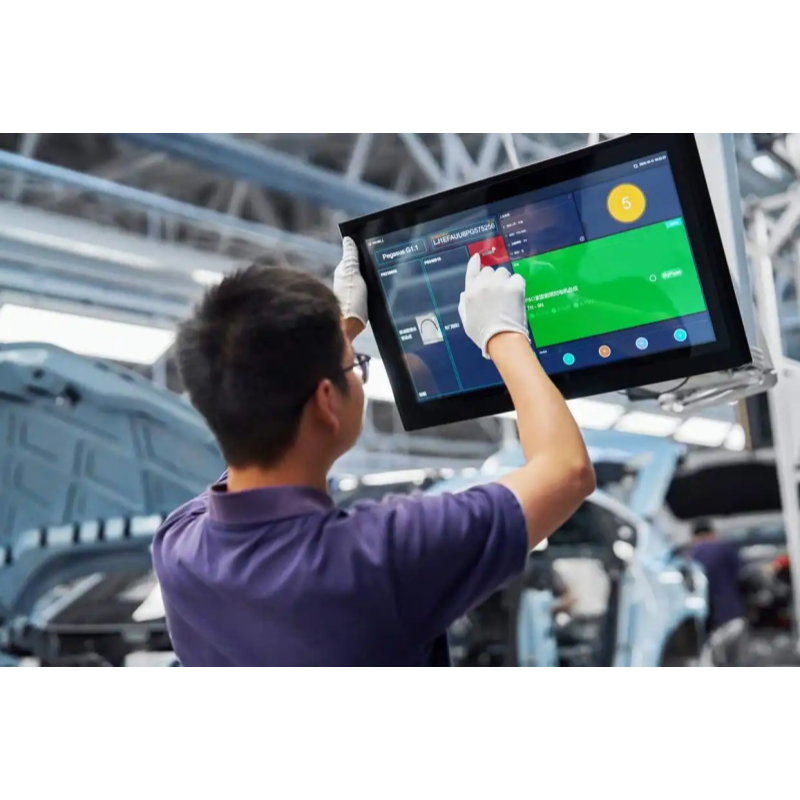
A packaging line running three shifts does not care that its HMI panel was the cheapest line item in the BOM. When the touchscreen stops responding at 2 a.m., the line stops with it — and the cost of that hour is never recovered out of the savings on the display.
Equipment built for continuous operation needs an HMI touch display specified for that duty. Below is what to check before locking one into your next panel, PLC terminal, or control cabinet.
Why standard panels fail in round-the-clock service
Three failure modes account for most industrial field returns.
Wear
Consumer-grade touch panels assume intermittent contact. An operator panel absorbs thousands of presses per shift, every day, for years. Cover glass, sensor pattern, and bonding method all have to survive that duty cycle.
Contamination
Coolant mist, grease, metal dust, and humidity are normal conditions on a factory floor. On a panel tuned only for a clean dry finger, they produce false touches, dead zones, or input that nobody made.
Electrical noise
Inverters, servo drives, and high-voltage cabling sit next to the display. Unshielded or poorly grounded designs drift: the cursor wanders, touches register in the wrong cell, or the screen blanks outright.
Four checks before you commit a module
Glove and wet-hand touch
Operators rarely work bare-handed. Specify tuning that supports glove touch, wet-hand touch, and operation through a thick cover lens — then validate it with the actual glove type used on that line. A "glove mode" checkbox is not a test result.
Readability at the mounting position
"Adequate indoors" is not a specification. High-brightness backlights (from around 1,000 nits for industrial HMI), anti-glare surface treatment, and a wide viewing angle keep alarms and process values legible from where the operator actually stands. Optical bonding removes the internal air gap, improving contrast and shock resistance while preventing internal condensation.
EMI immunity designed in, not patched later
Ask about shielding across the sensor and tail, signal routing optimized for noisy cabinets, and documented grounding guidance. This is the most expensive defect to fix after tooling freezes, so resolve it at the sample stage — on the real machine if possible, not on a bench.
Temperature range you can verify
A module quoted at -30 °C to +85 °C can still misbehave at cold start or inside a sealed hot enclosure. Request the actual reports: high and low temperature cycling, dual 85 (85 °C / 85% RH), UV exposure, vibration, and mechanical impact. JuTouch runs this validation sequence for automation programs before a module is released to production.
The failure you only discover years later
Most teams specify for launch. Equipment that ships for a decade needs a different answer. Two years into production, the original panel goes EOL, and the "equivalent" replacement behaves differently enough to force EMC re-testing, driver re-work, sometimes a mechanical redesign — costs nobody budgeted.
Put lifecycle terms into the early conversation: BOM locking, version stability guarantees, and documented last-time-buy or replacement planning. It costs nothing up front and protects every future build.
Questions worth asking your supplier
- Is the touch tuning validated with gloves and wet hands, or only by datasheet claim?
- What is the sustained brightness in nits, and is it measured at the panel or the system level?
- Which EMI tests were run, and at what field strength?
- Can you share the temperature, vibration, and dual 85 reports?
- How long is this exact version guaranteed available?
- Is there a mechanical- and interface-compatible successor planned?
Typical target values for continuous-duty HMI
| Parameter | Typical target | Why it matters |
|---|---|---|
| Brightness | 850–1,000 nits | Readable under plant lighting and near windows |
| Operating temperature | -30 °C to +85 °C | Survives cold start and sealed enclosures |
| Touch modes | Glove, wet-hand, thick cover lens | Operators rarely work bare-handed |
| Interfaces | LVDS, HDMI, USB / I2C, RS232 | Matches existing controller boards |
| Validation | Temp cycling, dual 85, vibration, impact | Predicts field life before tooling freezes |
Use these as a starting point, not a substitute for testing on the target machine.
Specifying for continuous duty
A stable HMI comes down to four decisions made early rather than fixes made late: touch tuning for gloved and contaminated use, verified readability at the mounting position, EMI immunity proven on the real machine, and a lifecycle commitment that outlasts the equipment itself.
JuTouch builds industrial touch display modules for exactly this duty — from the compact 4.3-inch optically bonded unit used in embedded control heads through to 21.5-inch HDMI interface displays for production line HMIs.